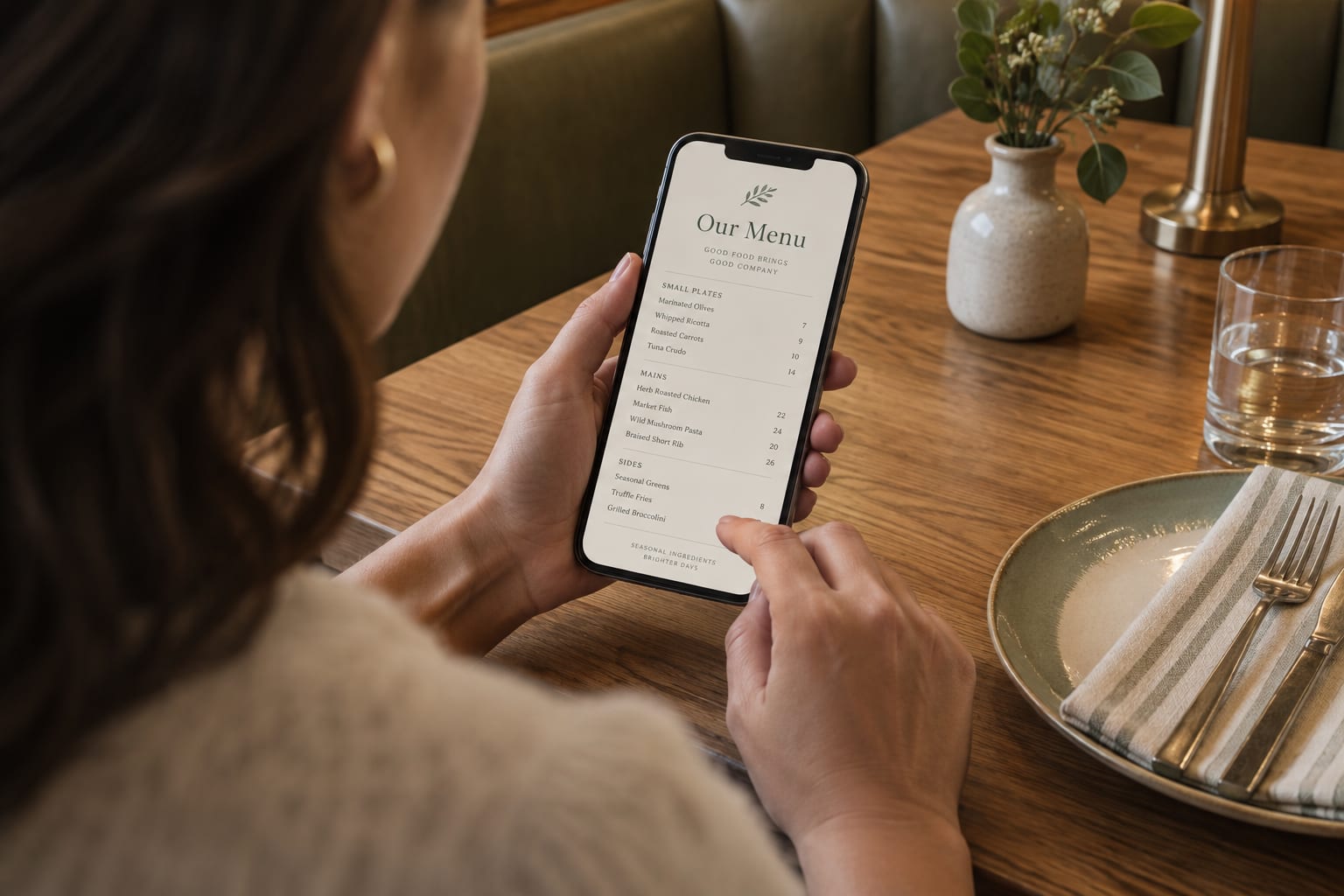
 September 1, 2026
Your QR menu is a guest experience, not just a link
Five small choices that make a mobile restaurant menu easier to browse, trust, and remember.
Design the journey after the scan
A QR code is often the first moment a guest meets your restaurant after they sit down. That small square does more than open a list of dishes: it sets the tone for how easy, thoughtful, and welcoming the visit will feel.
Map the menu to the guest’s next question
| Guest question | Menu response | A useful test |
|---|---|---|
| Am I in the right place? | Restaurant name and clear menu identity. | Can a first-time guest recognize the venue? |
| Where are the dishes I want? | Familiar category names and navigation. | Find mains and drinks without reading every item. |
| What is this dish? | Specific description and selective photography. | Explain the difference between two options. |
| What will it cost? | Visible price, portion, and supplements. | Identify the total for the chosen option. |
| What if I need help? | Staff assistance and a non-digital alternative. | A guest without a working phone can still choose. |
Start with a clear welcome
A strong menu opens with the restaurant name, the kind of food you serve, and a short line that gives guests a sense of place. Keep it human. A sentence about seasonal ingredients, a family recipe, or the mood of the room can do more than a long brand story.
Make choices easy, especially on a phone
Guests rarely read a digital menu from top to bottom. They scan. Group dishes into familiar categories, keep category names short, and write dish names that are easy to recognize at a glance. Descriptions should answer the useful question: what is it, and what makes it special? One clear sentence is usually enough.
Use photos with intention
A few excellent photos help guests feel confident about a choice. They work best for signature dishes, dishes with unfamiliar names, or a seasonal feature. Avoid adding an image to every item simply because you can. A crowded menu makes the food harder—not easier—to see.
Keep the details current
Prices, sold-out items, and menu descriptions should match what guests receive at the table. A digital menu is valuable precisely because it can be updated in minutes. Use that flexibility: remove unavailable items, call out new dishes, and make sure dietary labels are clear.
Welcome every guest
A multilingual menu helps visitors, international guests, and mixed-language tables decide with confidence. Translation should preserve proper names while making descriptions natural in the guest’s language. The original menu should always remain available, so guests and staff can refer to the same source.
Test tasks instead of asking whether the menu looks good
A visual preference is useful feedback, but it is not the same as successful navigation. Ask someone unfamiliar with the menu to find a main dish, compare two drinks, and locate the original language. Note the point where they hesitate without coaching them through it.
Separate content problems from interface problems. If a category is easy to find but a dish remains confusing, revise the name or description. If a guest understands the dish but cannot return to the category, investigate navigation. This distinction prevents unnecessary redesign work.
W3C’s writing guidance recommends descriptive headings and clear, concise content. Apply those principles to the menu: category titles should help guests find food, not require them to decode internal restaurant terminology. These are usability practices, not a promise of higher order values.
A short guest-experience review
Repeat the review after a major menu reorganization. Keep a short issue log with the task, difficulty, and agreed correction. A scan count alone cannot explain whether guests found the menu useful.
- Scan the printed code from a normal seated position.
- Confirm the restaurant identity before scrolling.
- Find a dish and compare its description and price with an alternative.
- Try the language control and return to the original version.
- Ask staff how they would help a guest whose phone cannot open the menu.